Novavia Studio

Independent iPhone apps

Apps for
the whole
picture.

PhotoCoach helps you find the shot.
RedNote Framer helps you finish it.

Two photography apps. One independent studio.

Explore our apps
PhotoCoachFind your shot.
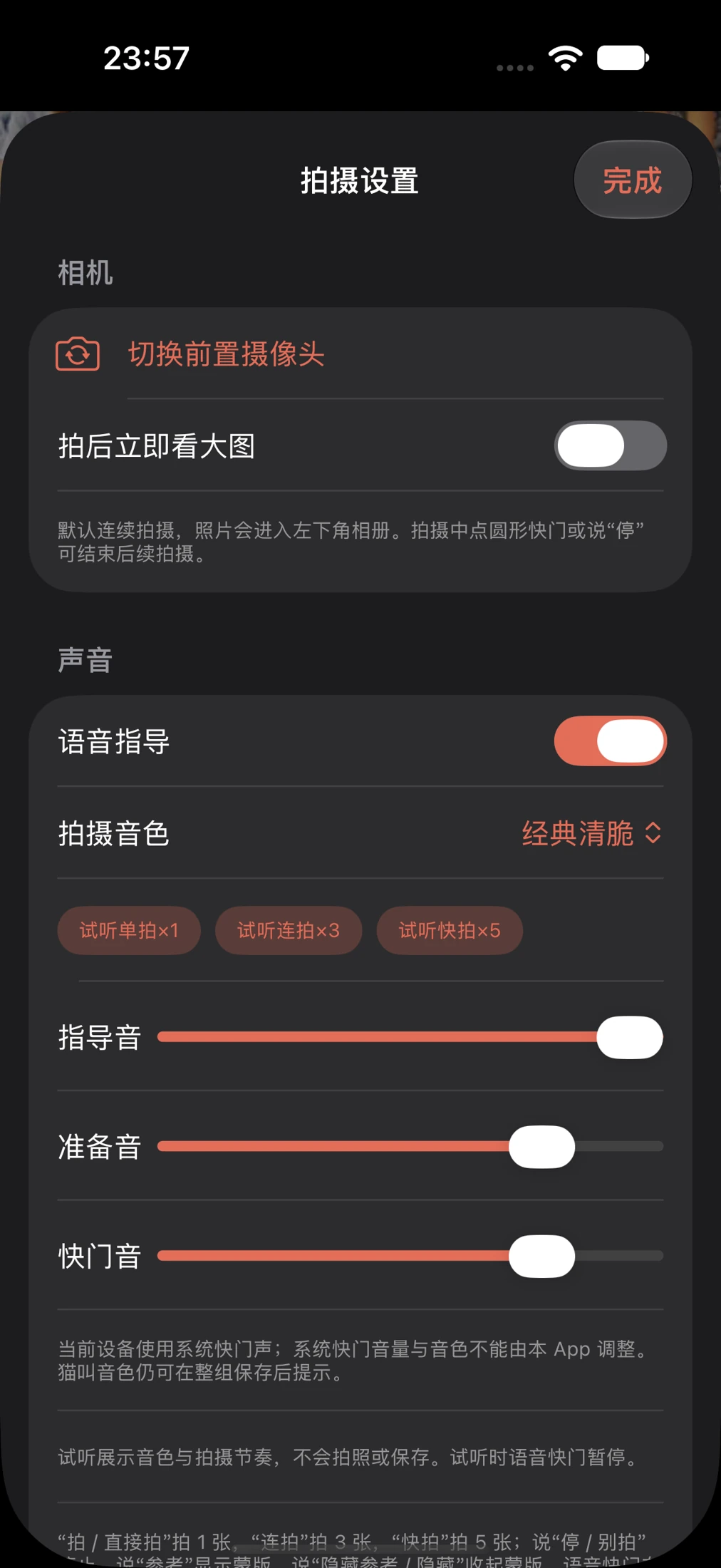
PhotoCoach shooting settings with voice guidance, sound level and photo export controls
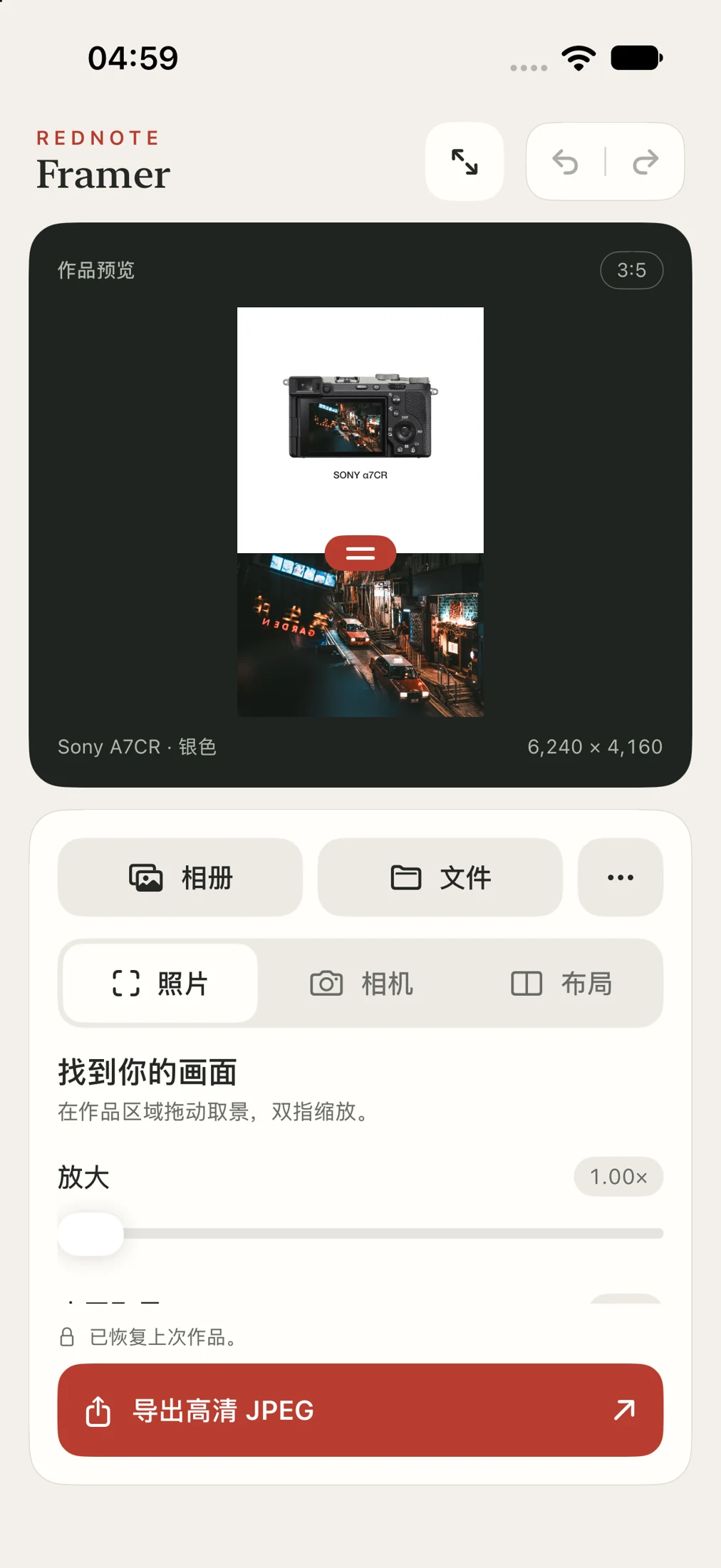
RedNote Framer native editor showing a framed Hong Kong night photograph, crop controls and JPEG export
RedNote FramerMake it yours.
Native iPhone development previews

Our apps

Before the shutter.
After the shutter.

Two focused tools for different parts of making a photograph.

PhotoCoach

In development · iPhone

A reference in mind.
A little help in frame.

Turn “a photo like this” into a starting point. Choose a reference, follow framing and pose guidance, then take the picture at your own pace.

  • Your own reference, or a built-in starting point
  • Assisted and solo shooting modes
  • Single shots, 3-shot and 5-shot sequences
Explore PhotoCoach
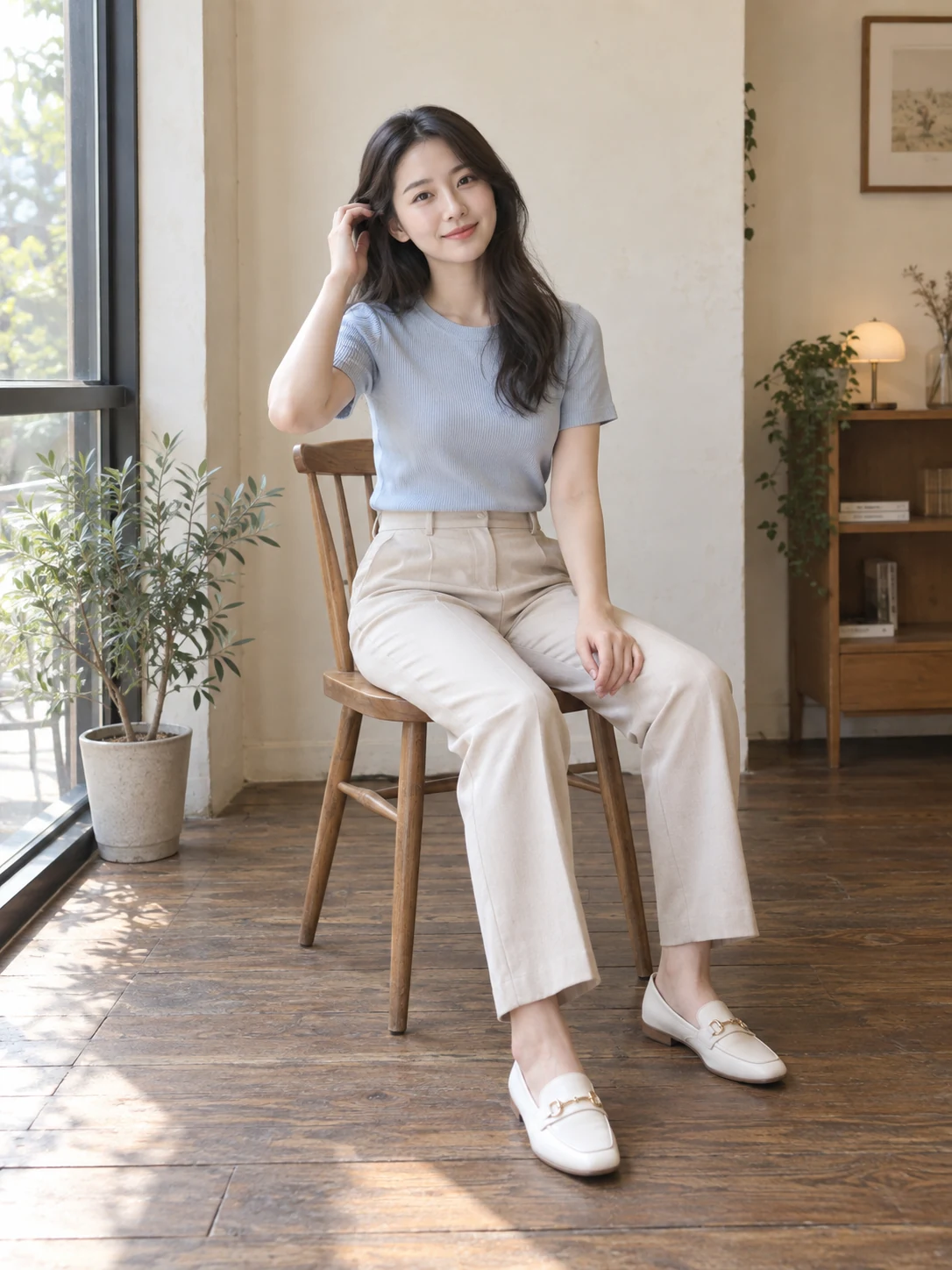
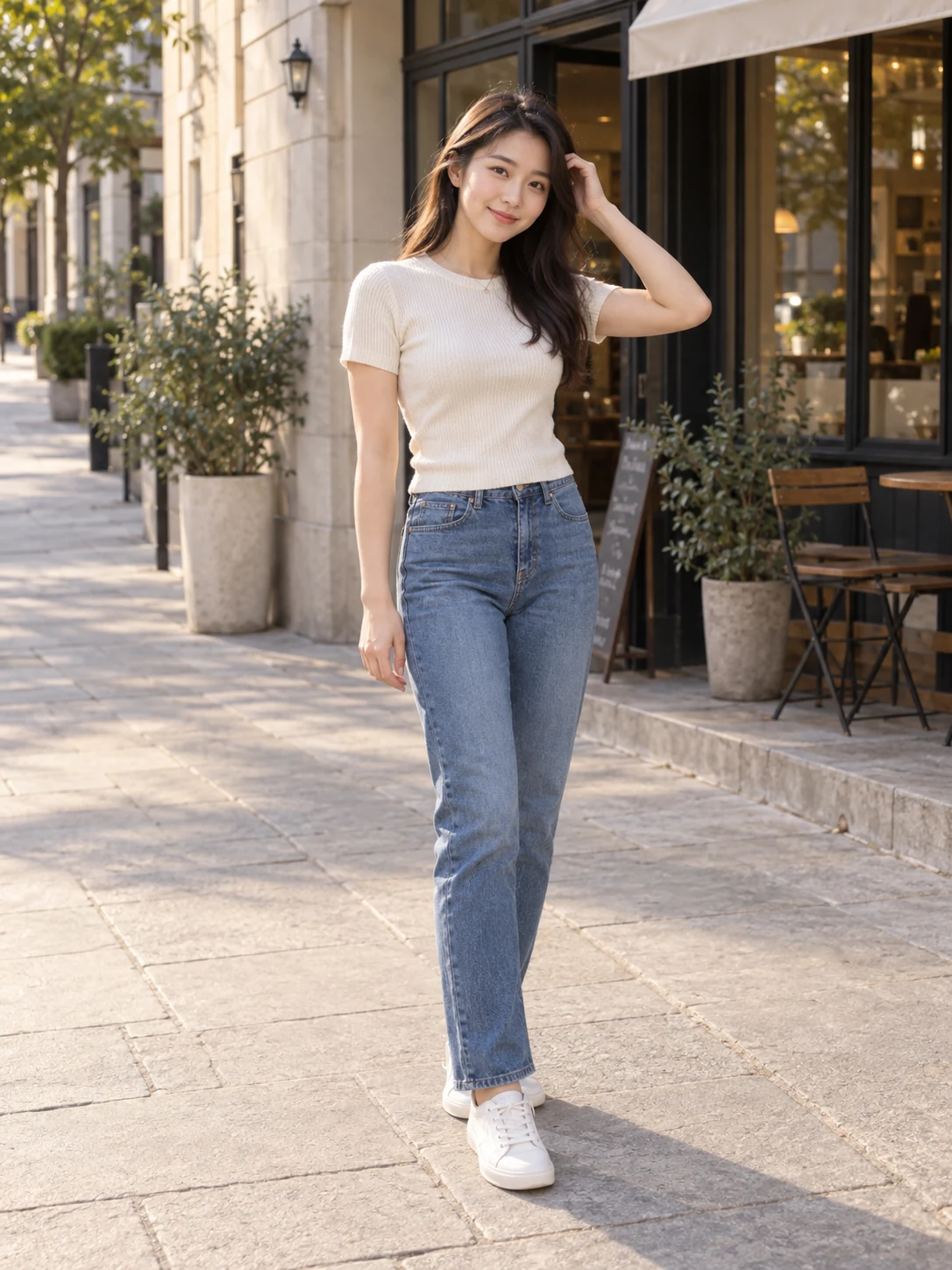
Street standing pose from PhotoCoach’s built-in starter referencesWindow seated pose from PhotoCoach’s built-in starter references

A few good starting points.
Built-in reference images from the app.

Actual RedNote Framer editor with a 3:5 composition and photo adjustment controls

From import to export.
Native iOS development preview.

RedNote Framer

In development · iPhone

Give your photograph
a proper finish.

Bring in a photo, shape the crop and build a frame around it. Keep the camera and exposure details close, then export a JPEG ready to share.

  • Import from Photos or Files
  • 3:4 and 3:5 layouts with hands-on crop controls
  • Undo, redo, save and share
Explore RedNote Framer

A look inside the work. Both apps are in development; public downloads and release dates have not yet been announced. Screens show development builds with a Chinese interface.

From a reference to a finished photograph

01

Start with something specific.

A pose to try. A composition to follow. A reference you can make your own.

02

Keep your hands on the picture.

Adjust the crop, move the divider and see the frame change as you work.

03

Choose what leaves the app.

Review your photographs, pick the result and save or share when you’re ready.

About Novavia Studio

Built around
making pictures.

We’re an independent software studio in Hong Kong, building photography tools for iPhone.

Our work starts with two everyday moments: helping someone take the portrait they have in mind, and giving a finished photograph a frame that feels considered.

Novavia Studio is operated by NovaVia Tech Limited.

team@novavia.studio ↗

Get in touch

Questions about the apps?

Feedback, product questions and business enquiries are welcome.

Contact us